Mentelevora · Mobile WMS for Sage X3

Sage X3 in your operators’ hands, without changing ERP.

Receiving, put-away, picking, inventory, quality and production: your teams scan on the handheld, Sage X3 records it, with its own checks, in real time.

Built for handhelds and scanners Responsive: handheld, tablet, desktop 5 languages
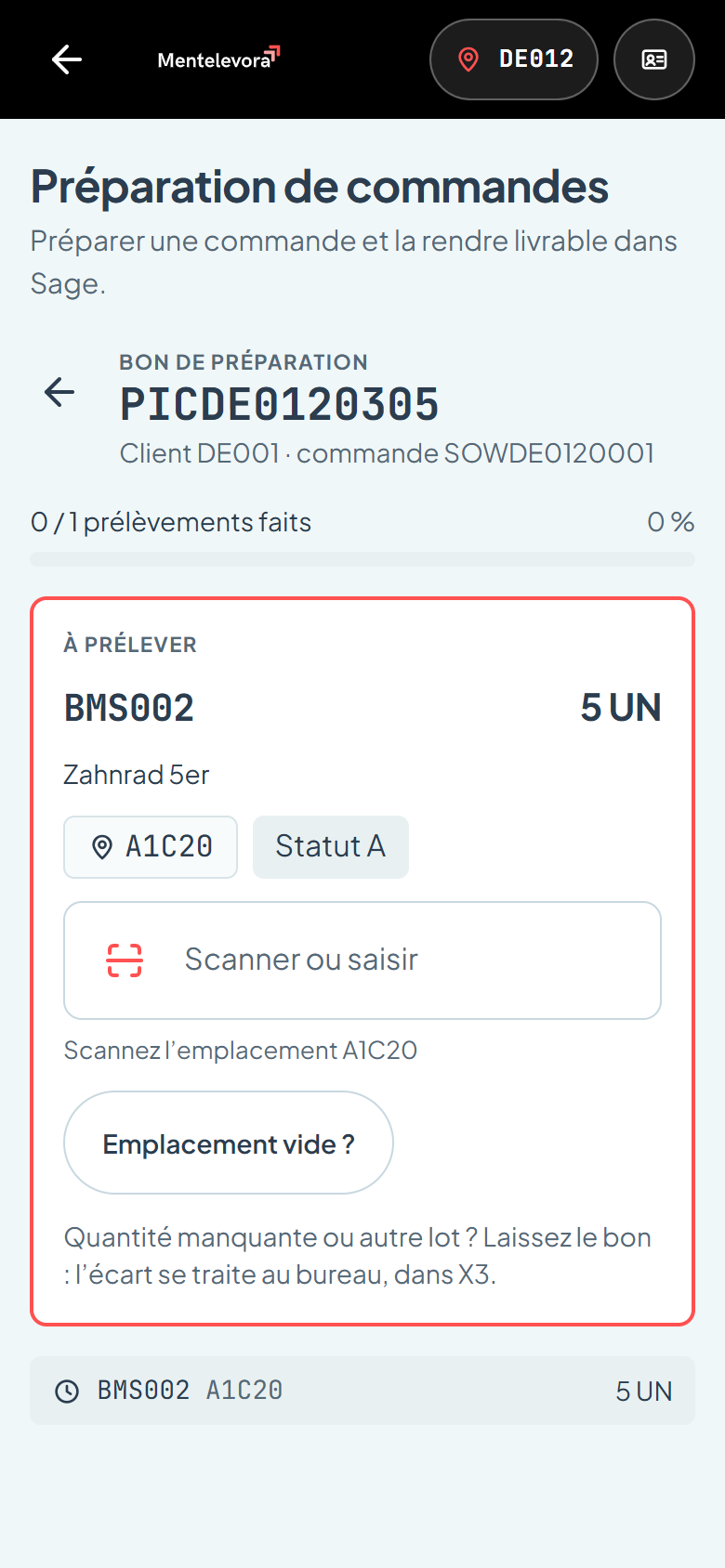
Guided picking of a ticket: item, quantity, location to scan
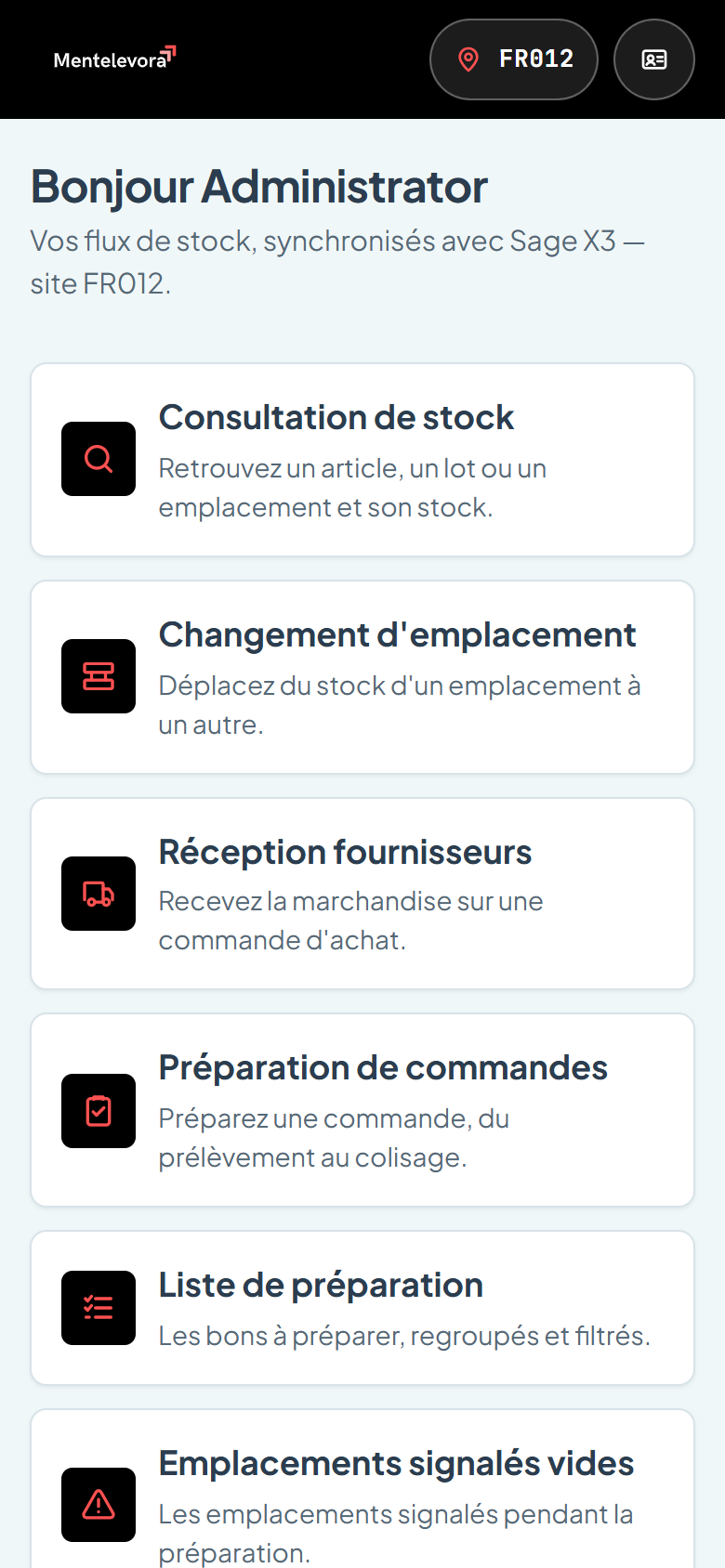
Mentelevora home: the functions open to the operator on their site
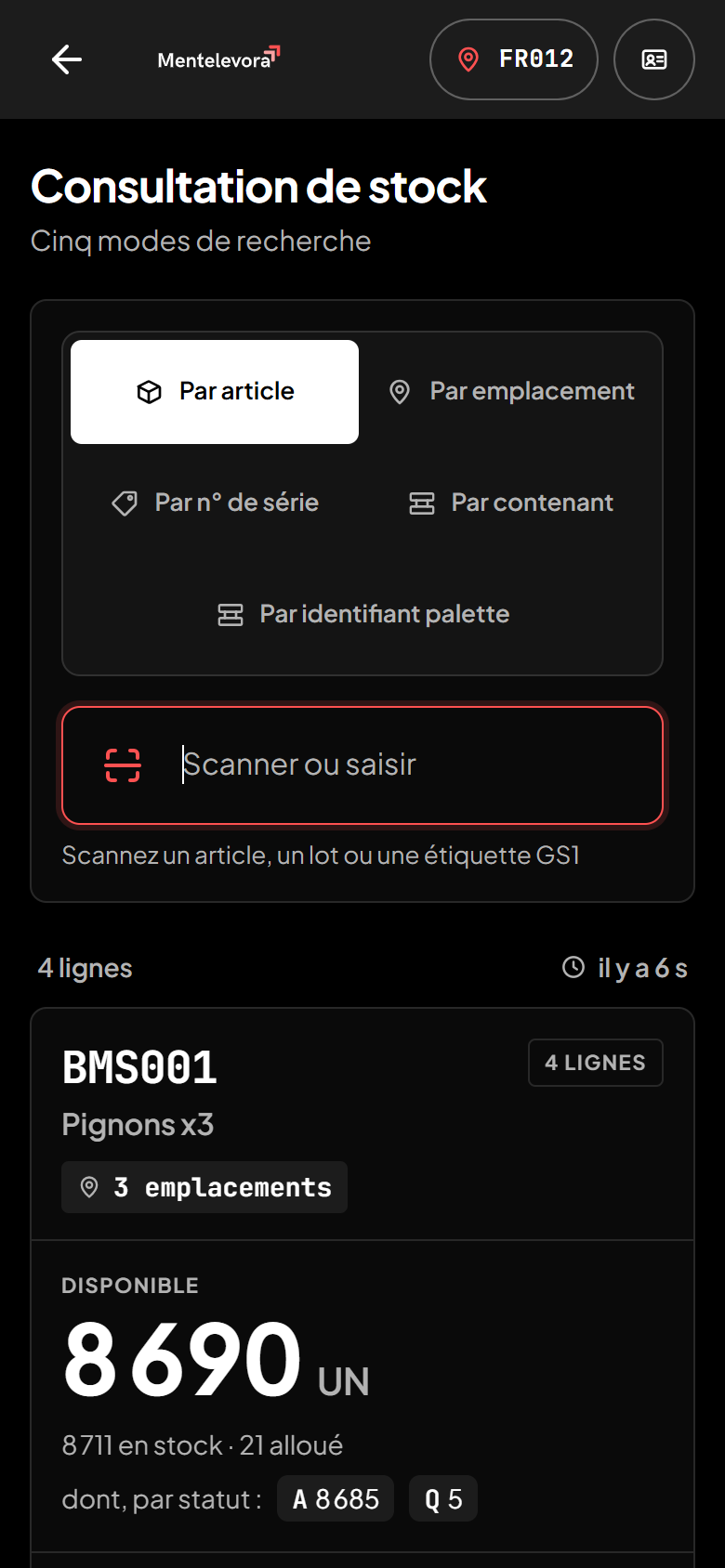
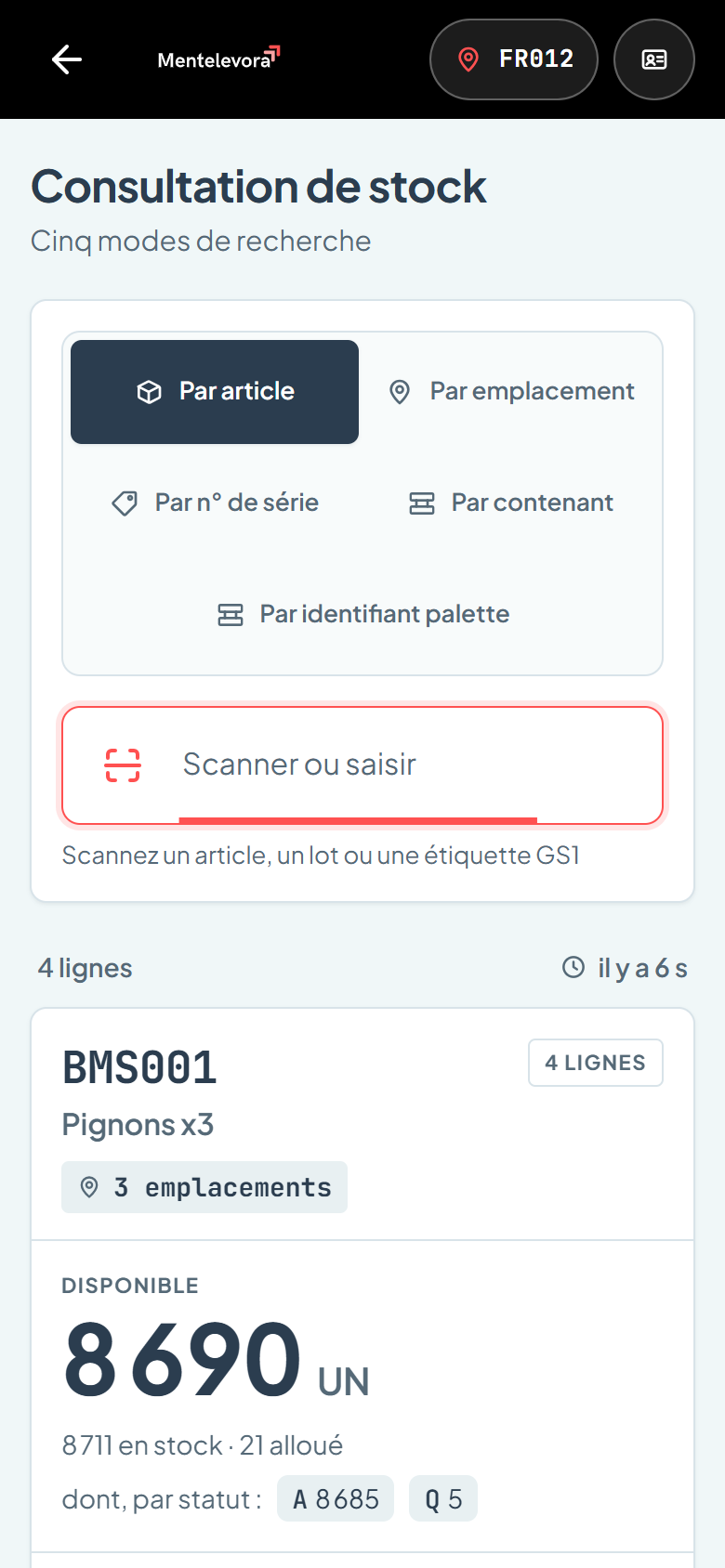
Stock inquiry: available, allocated and statuses of an item
Native scanningscanner, handheld or camera
Sage X3 V12read and written in real time
No direct writeseverything goes through Sage processes
On your premisesinstalled on your server
Why Mentelevora

Sage X3 is your system of record. The warehouse works on its feet.

Sage X3 screens are made for the office. On the dock, people re-key data, print lists and fix things afterwards, and discrepancies only show up at stocktake. Mentelevora brings Sage X3 flows to the operator’s handheld, at the moment of the action.

Without a mobile WMS
With Mentelevora
Paper lists, re-keyed at the office
Scanned on the spot, recorded in Sage X3
Location or lot errors spotted too late
Checked at scan, before sending
Stock that is “roughly” right
Read from X3, with the time it was read
Annual stocktake that shuts the warehouse
Blind, rolling counts on handhelds
One Sage screen per operation
One app, every operation
Features

Every warehouse operation, on a single handheld.

Every screen is designed for one hand, one thumb and a scanner. The operator sees what to do, scans, and Sage X3 confirms.

Picking: guided pick of BMS002, 5 UN from A1C20
Order picking

From pick ticket to “Deliverable” status, guided line by line.

The operator scans the order or ticket; Mentelevora shows what to take, how many and where. Each pick is checked at scan, then the ticket moves to “Deliverable” in Sage X3 through the standard button.

  • Location, item and lot checked at scan: no more wrong picks
  • “Empty location?”: an alternative pick is suggested from real stock, and the discrepancy is reported to the supervisor
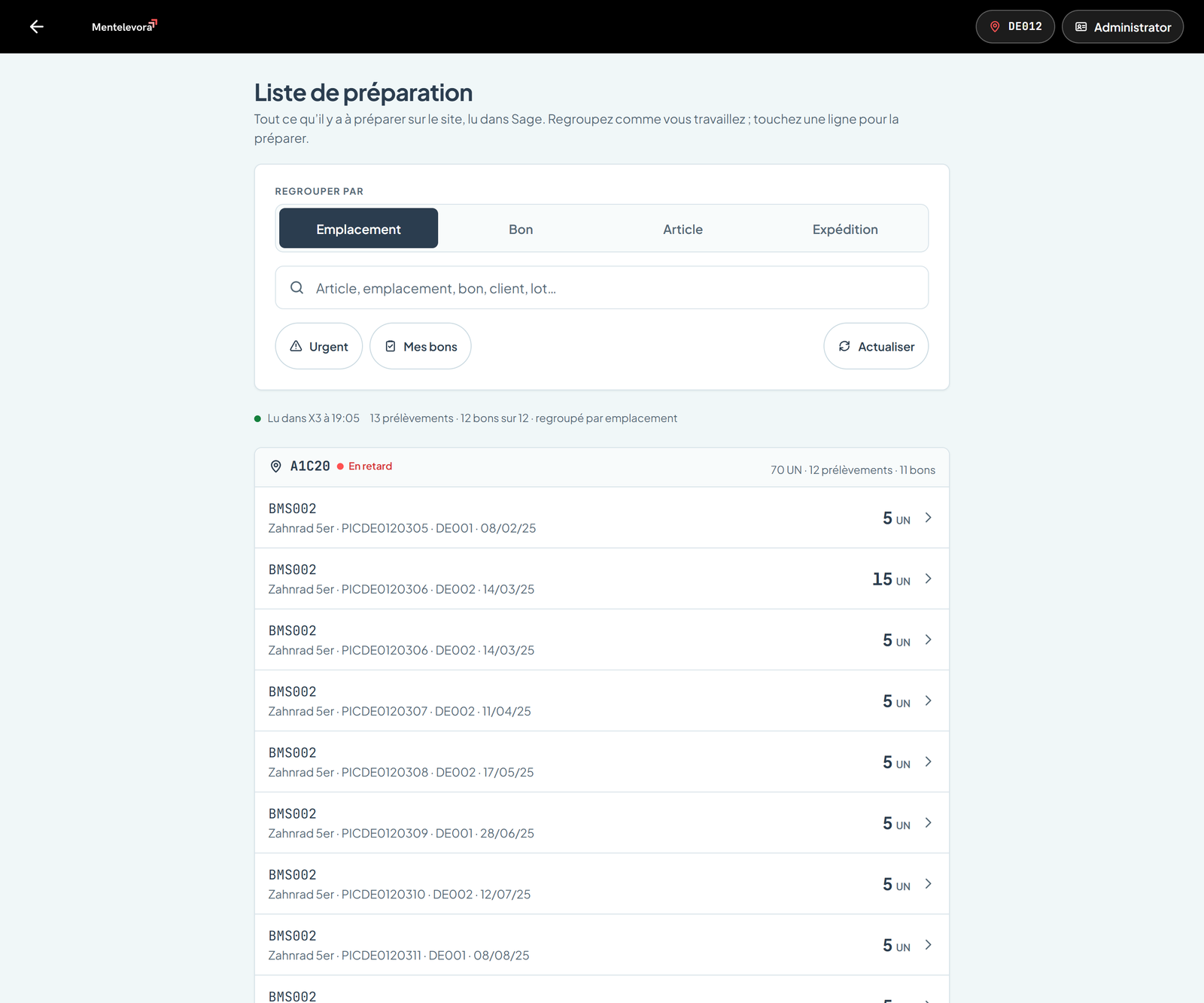
  • Pick list grouped by location, ticket, item or ship date
  • Packing and delivery in one flow, labels printed by Sage
Stock inquiry for BMS001: 8,690 UN available across 3 locations
Stock inquiry

Real stock in one scan, read from Sage X3 right now.

Item, location, serial number, container or pallet: five ways to search. Available, allocated, statuses and lots, by location.

  • EAN, GS1-128 and DataMatrix barcodes read natively
  • Each quantity shows when it was read from X3: never an outdated figure presented as current
  • Movement history of the item on the site
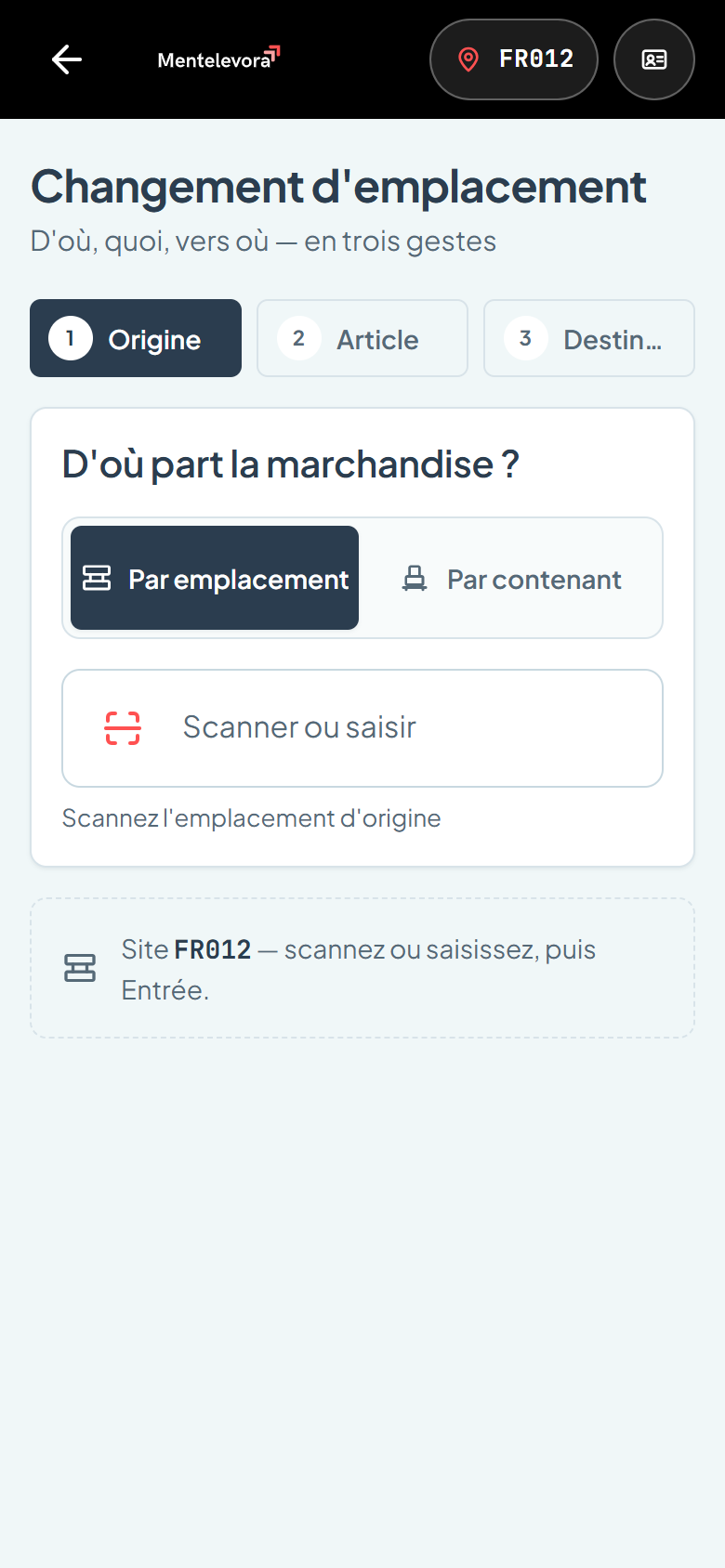
Location transfer in three steps: origin, item, destination
Location transfer

From where, what, to where: three actions.

Put-away, replenishment, transfer: the operator scans the origin, the stock line, then the destination. The movement is created in Sage X3, fully traceable.

  • Destination checked before sending: category, accepted status, single-item
  • Move a whole container or several lines at once
  • Location suggestions based on Sage put-away rules
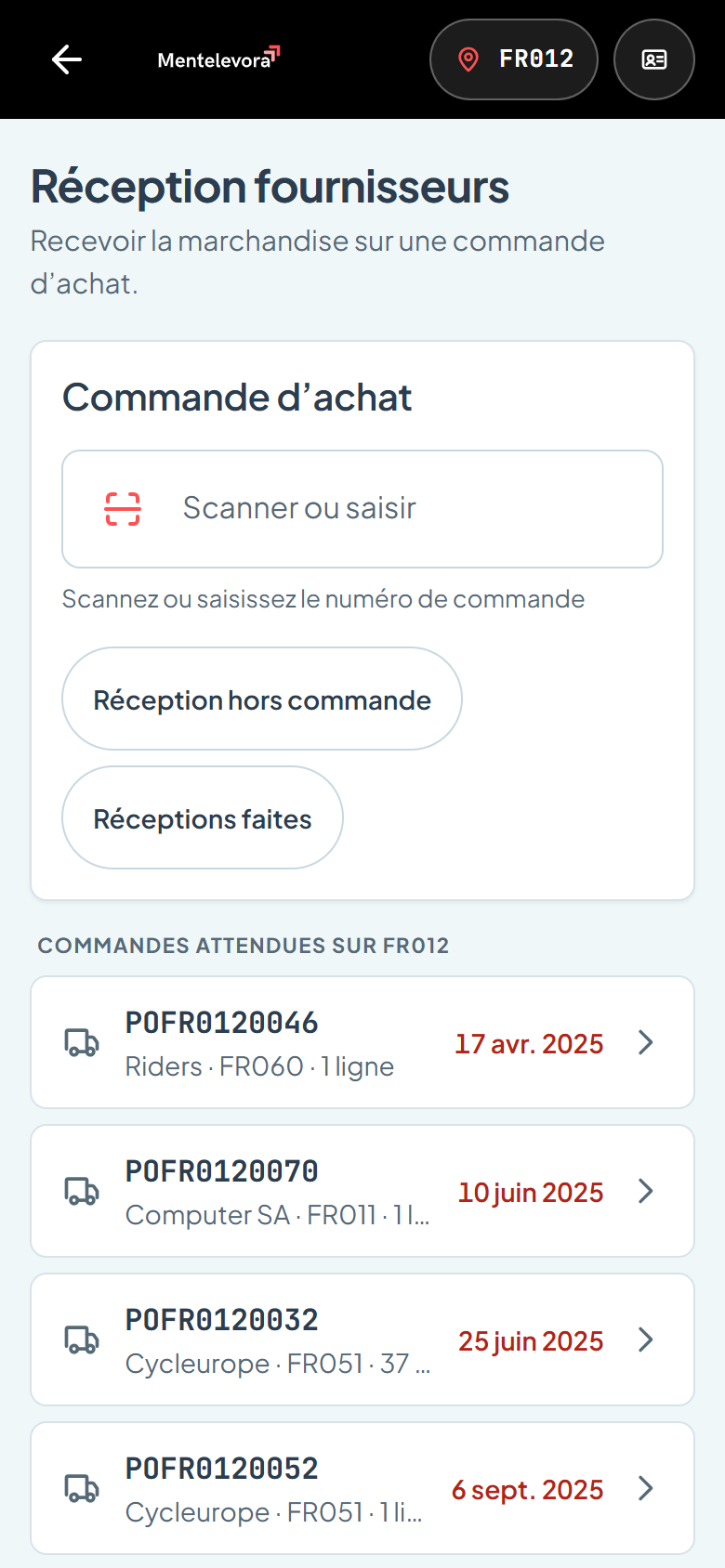
Supplier receiving: scan a purchase order
Supplier receiving

Received goods are in Sage X3 before they are put away.

Scan the purchase order or supplier label, quantities, lots, expiry, containers: the receipt is created in Sage X3 and stock labels are printed right away.

  • Reads supplier GS1 labels (lot, date, quantity)
  • Quality control triggered according to Sage settings
  • Stock labels printed by Sage on the dock printer

Stocktake

Blind counting on handhelds, even offline. Automatic recount above a variance threshold, supervisor review, then validation in Sage.

Quality control

Accept, reject or split stock under inspection, using the Sage quality transaction and its statuses.

Production

Material issues and production reporting on work orders, time spent, straight from the shop floor.

Packing and delivery

Parcels, SSCC labels and delivery of the picked ticket, without going back to the office.

Labels

Item, stock and parcel labels: printed by Sage X3 or by Mentelevora, in the format of your choice.

Users and permissions

Profiles, permissions per function, sites open to each user. Every movement carries the code of the operator who made it.

On the floor

Designed for handhelds, gloves and the dock.

Mentelevora runs in the browser of your Android handhelds (Zebra, Honeywell, Datalogic), with no app or plugin to install.

Built-in scannerThe handheld’s scanner types straight in; the scan field keeps the focus.
Camera as backupOn a phone without a scanner, the camera reads the code inside the target frame.
Large targetsButtons of at least 56 px: usable with gloves, at arm’s length.
No-signal areasStock counting continues offline; submissions wait until Wi-Fi returns.
Dark themeFor cold rooms, night shifts or screens in glare.
Five languagesFrench, English, German, Italian, Spanish: each operator in their own.
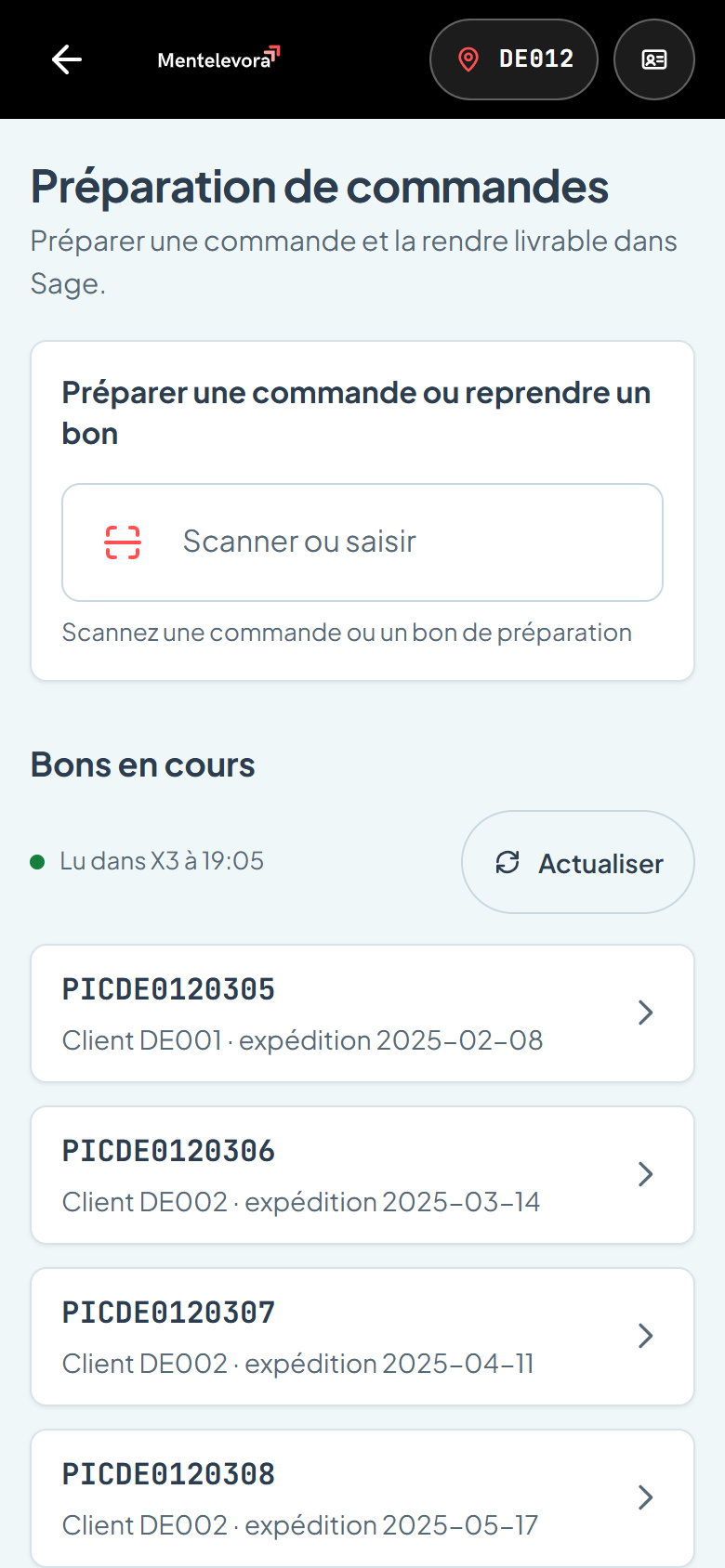
Open tickets on site DE012, read from X3
Stock inquiry in dark theme
Sage X3 integration

Sage X3 remains the source of truth. Mentelevora simply feeds it, correctly.

No field is written “directly” to the database. Every operation goes through standard Sage X3 processes, as if a user entered it on screen: same checks, same valuation, same traceability.

  1. 01The operator scansOn the handheld, at the moment of the action. Instant checks: location, lot, quantity.
  2. 02Mentelevora sendsOne operation = one document, with a unique key: never a duplicate, even after a dropout.
  3. 03Sage X3 recordsThrough its standard processes: stock, valuation, journal, allocations, counters.
  4. 04The handheld confirmsThe Sage document number is displayed. No green light before X3 confirms.
Consistent accounting and stock. Valuation, stock journal and traceability calculated by Sage, not by third-party software.
Fresh data, with a timestamp. Every stock figure shown is re-read from X3 and carries the time it was read.
Delivered as a Sage patch. A standard patch installs what Mentelevora needs; a probe checks it is complete before go-live.
Worry-free Sage updates. Nothing is changed in the standard processes: Mentelevora plugs in, it does not replace.
Responsive

A handheld on the dock, a tablet on the truck, a desktop in the office.

The same app adapts to every screen: one column on the handheld, richer lists on tablet and desktop. Nothing to install: a browser is enough.

evora.mentelize.com
Pick list on desktop: grouping by location, search, filters
Home screen on a handheld
Android handheld Smartphone Tablet Desktop Light or dark
Go-live

Up and running in three steps.

Mentelevora is installed on a server in your network: your data stays with you.

  1. Connecting to Sage X3Installing the Mentelevora patch in your Sage folder, creating a web services pool, automatic check.
  2. Setting up your warehousesWith your teams: sites, users, profiles, printers, picking and stocktake rules.
  3. Go-liveTests on your real documents, operator training, then go-live on your handhelds.
Frequently asked questions

What we are asked most.

Do we need to change ERP or Sage X3 version?

No. Mentelevora connects to Sage X3 V12 as it is, and changes none of its standard processes. Your office users keep working in Sage.

Which devices are supported?

Any recent Android device with a browser: handhelds with a built-in scanner (Zebra, Honeywell, Datalogic…), smartphones, tablets, as well as Windows desktops. No app to install.

What happens when the Wi-Fi drops?

Stocktake counting screens work offline. An operation sent during a dropout waits for the connection to return, without being lost or recorded twice; the screen clearly shows it is pending.

Where is our data hosted?

On a server in your network, next to Sage X3. Traffic is encrypted (HTTPS) and Mentelevora does not store stock quantities: Sage X3 remains the reference.

How long does a go-live take?

It depends on your sites and flows. During the demo, we start from your real cases and propose a precise schedule.

A demo on your flows

See Mentelevora at work on your Sage X3.

We start from your real cases (picking, receiving, stocktake or production) and show you the operator’s workflow, end to end.